
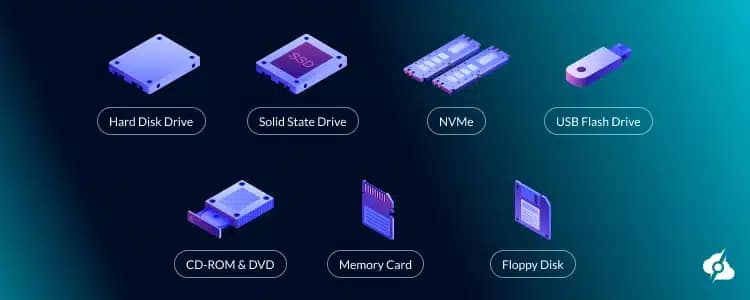
Secondary storage devices are essential for ensuring the security, persistence, and recovery of data on computers, servers, and corporate environments. They play a fundamental role in backup, archiving, and data loss protection strategies.
In this article, you will understand what secondary storage is, the main types, and how each is used in backups, both in home and professional environments.
What are secondary storage devices?
Secondary storage is responsible for permanently storing data; that is, the information is not lost when the equipment is turned off. Unlike RAM, it is non-volatile and offers greater storage capacity.
Main characteristics:
- Non-volatile storage
- High capacity
- Lower cost per gigabyte
- Lower speed than primary memory
👉 Important keywords: secondary storage, storage devices, data backups
Main types of secondary storage devices
HD (Hard Disk Drive)
Hard drives (HDDs) use magnetic disks and mechanical parts to store data. They are a low-cost, high-capacity option, but offer lower performance and a higher risk of physical failure.
Use cases in backup:
- Local backup
- File servers
- Storage of large volumes of data
SSD (Solid State Drive)
SSDs use flash memory, have no moving parts, and offer high performance and greater reliability compared to HDDs.
Backup use cases:
- Fast backups
- System restoration
- Environments requiring high availability
SSD NVMe
NVMe SSD are an evolution of the traditional SSD, connected via PCIe, offering extremely high speeds.
Backup use cases:
- Snapshots
- Temporary backups
- Fast recovery of critical systems
Pendrive (USB Flash Drive)
A portable, practical, and widely used device, but with a limited lifespan for frequent backups.
Use cases in backup:
- Manual backups
- File transfer
- Small data volumes
Memory cards (SD and microSD)
Widely used in mobile devices, cameras, and embedded systems.
Use cases in backup:
- Photos and videos
- Mobile device data
Magnetic tapes (LTO)
LTO tapes are widely used in corporate environments for long-term backup and archiving.
Use cases in backup:
- Corporate Backup
- Long-Term Storage
- Legal Compliance
👉 Strategic keyword: magnetic tape backup
Network storage (NAS and SAN)
NAS (Network Attached Storage)
- Easy management
- Ideal for small and medium-sized businesses
SAN (Storage Area Network)
- High performance
- Large corporate environments
Use cases in backup:
- Centralized backups
- Data redundancy
- High availability
Cloud storage
Cloud storage allows you to save data remotely, ensuring offsite backup and disaster recovery.
Use cases in backup:
- External Backup
- Disaster Recovery (DR)
- On-demand scalability
👉Relevant keyword: cloud backup
Use cases for backup with secondary storage
Local backup
Utilizes HDDs, SSDs, or NAS within the same infrastructure.
Advantage: speed
Disadvantage: vulnerable to physical failures and attacks
Backup offsite
Off-site storage, such as cloud or external tapes.
Advantage: disaster protection
Disadvantage: cost and recovery time
Incremental and differential backup
It only stores changes to the data, saving space and time.
Long-term backup (archiving)
Used for historical record keeping and legal requirements.
Best practices for backup – 3-2-1 rule
To ensure maximum data security:
- 3 copies of the data
- 2 different types of media
- 1 offsite copy
👉 Keyword: backup best practices
Conclusion
Secondary storage devices are indispensable for any efficient data backup and protection strategy. The right choice depends on the cost, performance, durability, and security level required by the environment.
Companies and users who combine different types of storage ensure greater resilience, availability, and reliability of information.