
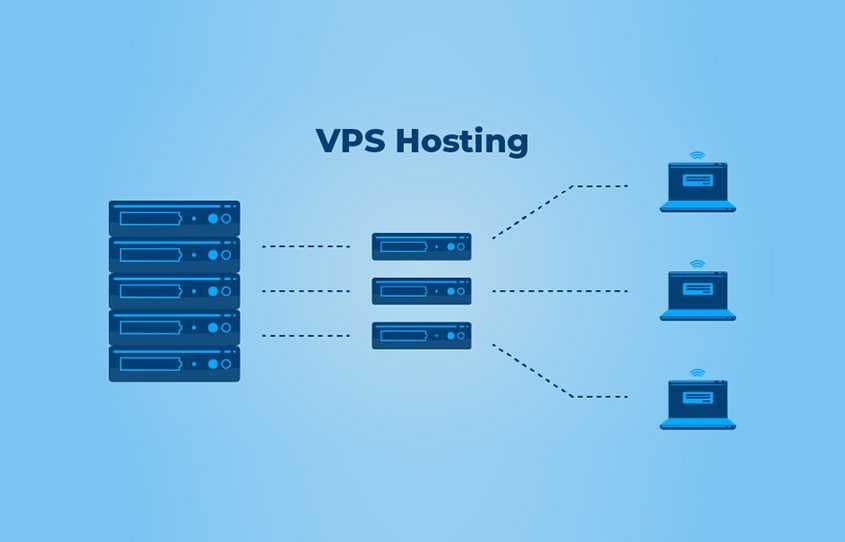
Choosing the best VPS (Virtual Private Server) for your project is a strategic decision—it impacts performance, cost, scalability, and security. The ideal choice largely depends on the type of application, expected traffic, and your budget. Here’s a practical and technical guide to help you decide with confidence.
🚀 What to consider before choosing a VPS
1️⃣ Project Type
| Project | Typical requirements |
|---|---|
| Small WordPress blog/website | Low resource requirements, focus on SSD. |
| Web application / API | Consistent CPU/RAM |
| E-commerce | High availability and security |
| Applications in Node/PHP/Python | Balance between RAM and CPU |
| Heavy database | Lots of RAM + fast I/O |
🧠 Selection Criteria
🧱 1. CPU and Cores
- More cores = better for multitasking and parallel workloads.
- Ideal for: APIs, containers, high-traffic web servers.
💡 For WordPress with caching: 2 vCPUs are sufficient for moderate traffic.
💾 2. RAM Memory
- It affects the ability to keep processes active.
- 2 GB+ recommended for basic applications.
- 4 GB+ for WordPress with plugins, e-commerce, and caching.
⚡ 3. Storage
- NVMe SSD >> SATA SSD >> HDD
- NVMe is much faster, improves response times and database I/O.
📊 4. Bandwidth / Traffic
- Check if the bandwidth is unlimited or has a monthly limit.
- Latency (geographic proximity) can matter to end users.
🌐 5. Operating System
Linux (Ubuntu, Debian, CentOS/Almalinux/Rocky) It’s standard:
- Ubuntu 22.04 LTS or Debian 12: stability and long-term support.
- CentOS Stream / Almalinux / Rocky for corporate environments.
🔐 6. Backups & Snapshots
Ideally, the provider should offer:
- Automatic backups
- On-demand snapshots
- Easy restore
📈 7. Redundancy and Uptime SLA
Look for VPS with:
- Uptime ≥ 99.9%
- Redundant networks
- 24/7 technical support
💸 8. Cost vs. Value
- Compare price x features x support
- Beware of:
- Low prices and high overselling
- Plans that charge extra for backups/extra traffic
🏷️ How much funding do you really need?
📌 Static websites / lightweight blogs
- CPU: 1 vCore
- RAM: 1–2 GB
- Disk: 20–40 GB SSD
📌 WordPress with moderate traffic
- CPU: 2 vCores
- RAM: 4 GB
- Disk: 40–80 GB NVMe
📌 E-commerce / larger applications
- CPU: 4+ vCores
- RAM: 8+ GB
- Disk: 80–200 GB NVMe
📌 Intensive databases
- More RAM and NVMe
- Ex.: 16 GB+ RAM e disk NVMe dedicated
🛠️ Advanced features for performance
🔹 Memory Cache
- Redis or Memcached (requires additional RAM)
🔹 Reverse Proxy
- Nginx, Varnish — reduces load on the backend.
🔹 Containers / Docker
Flexible for multiple services, better insulation.
💡 Tips for critical projects
✅ Test before you buy — many offer trials or credits.
✅ Plan for scalability — choose providers that allow upgrades without downtime.
✅ Monitoring — CPU/RAM/disk I/O metrics help you decide when to upgrade your plan.
✅ Basic DDoS protection — important in public projects.
📌 Quick comparison of uses
| Use | Average VPS | Recommended VPS |
|---|---|---|
| WordPress blog | 2 GB RAM, 1 CPU | 4 GB, 2 CPUs |
| Average traffic API | 4 GB, 2 CPUs | 8 GB, 4 CPUs |
| E-commerce | 8 GB, 4 CPUs | 16 GB, 6–8 CPUs |
| Heavy database | 16 GB+ | 32 GB+ |
🧠 Good configuration practices from the start.
✔ Automatic system updates
✔ Configured firewall (iptables/nftables)
✔ Crowdsec protection against abuse
✔ Automatic backup
✔ Use of NVMe SSD