
Converting an addon domain into a main domain in WHM is a common procedure among server administrators who want to separate accounts, improve hosting organization, or migrate websites to independent accounts. In this complete guide, you will learn how to convert an addon domain into a main account in WHM, following a detailed and secure step-by-step process.
What is an Addon Domain and why convert it to a Primary Domain?
An addon domain is an additional domain hosted within another cPanel account. It uses the same space and permissions as the account that hosts it. However, in many scenarios, it may be necessary to transform this domain into a primary account, for example:
To separate different client websites
To increase security and isolate files
To reorganize the server structure
To facilitate backups and migrations
To apply individual resource limits (CPU, RAM, disks)
WHM offers a native tool that makes this conversion quick and secure, without the need for manual migrations.
How to Convert Addon Domain to Primary Domain in WHM (Step-by-Step)
Below you will find a detailed process divided into clear steps, ideal for beginners and experienced administrators alike.
1. Access WHM as the root user.
To perform the conversion, root access is required. Only this permission level allows you to view and use the Convert Addon Domain to Account tool.
2. Find the conversion tool in WHM
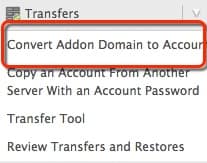
In the left sidebar menu, type Transfers in the search field.
Click on the Convert Addon Domain to Account option.
This function is responsible for creating a new cPanel account using the data from the existing addon domain.
3. Locate the addon domain you want to convert.
The screen will display a list of all addon domains present on the server.
If there are many domains, use the search filter to quickly find the correct domain.
Locating the right domain is essential to avoid incorrect conversions.
4. Select the domain and begin preparing the conversion.
Após localizar o domínio desejado, marque-o e clique em Convert.
O WHM então mostrará uma página de configuração inicial da nova conta que será criada.
5. Set up your contact email and choose your hosting package.
Now you must:
. Set the contact email for the new cPanel account
. Choose the hosting package (quota, resource limits, etc.)
. Keep the Preserve Account Ownership option enabled (recommended in most cases)
These settings determine how the nova conta será criada e administrada.
Review all data to be migrated
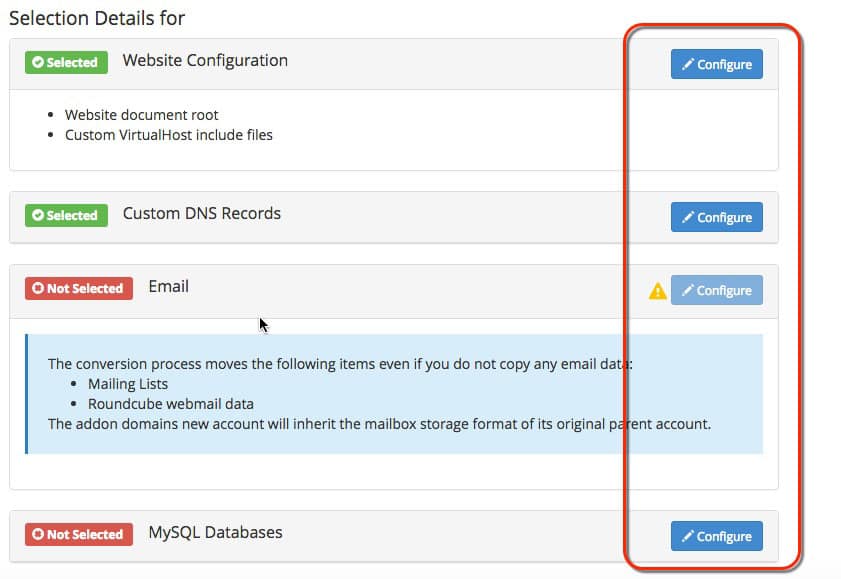
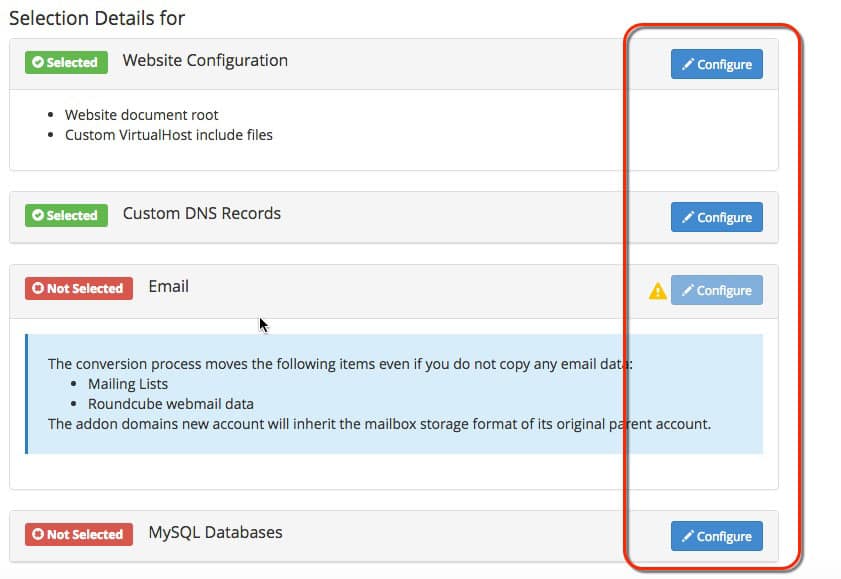
Scroll down to the Selection details section, where you will find a list of all the data to be migrated, including:
Website files and directories
DNS settings
Email accounts
Databases
Subdomains
FTP accounts
General sub-accounts
By default, everything is selected for transfer.
If you wish to customize something, click Configure to adjust manually.
This step is crucial to ensure that no important data is left behind.
7. Click Start Conversion to begin the conversion.
Once you have finished reviewing the settings, click Start Conversion.
WHM will begin creating the new main account, migrating all data and reorganizing the structure.
8. Wait while WHM processes the conversion
During this step, the system will display the process status.
The time required depends directly on the volume of data, such as:
Number of email accounts
Database size
Number of website files
Presence of subdomains and additional configurations
It is essential to wait until the process is completed without interruptions.
9. Check the complete conversion report
After WHM finishes everything, click on Details.
This page shows a complete report with:
Migrated components
Operation logs
Warning or error messages
Technical information about each step
It is highly recommended to review this report to ensure that everything went as expected.
10. Confirm the creation of the new account in WHM
Finally, access the left menu and click on List Accounts.
If the conversion was successful, you will see the new cPanel account appearing in the list as the primary domain.
This confirms that the addon domain has been fully converted to a co-op account.nta independente.
Conclusion: Converting an Addon Domain into a Primary Domain is easy with WHM
By following this complete guide, you can quickly convert any addon domain into a primary domain, preserving data and ensuring a secure migration. WHM’s native tool eliminates manual complexity and offers complete control over the process.
See more: Advantages and Disadvantages of KVM Hypervisor
See more: How to Create an OS Template in Virtualizor: Complete Guide 2025
See more: How to configure Raid 1 on Linux systems?