
The “One-Click Login” (Single Sign-On) feature in DirectAdmin eliminates the need to manually enter database credentials. In addition to streamlining the administrator workflow, this feature increases security by disabling the public phpMyAdmin login screen.
Follow the steps below to enable direct access and, optionally, restrict conventional login.
Prerequisites
- Root access to the server via SSH.
Part 1: Enabling the feature in DirectAdmin
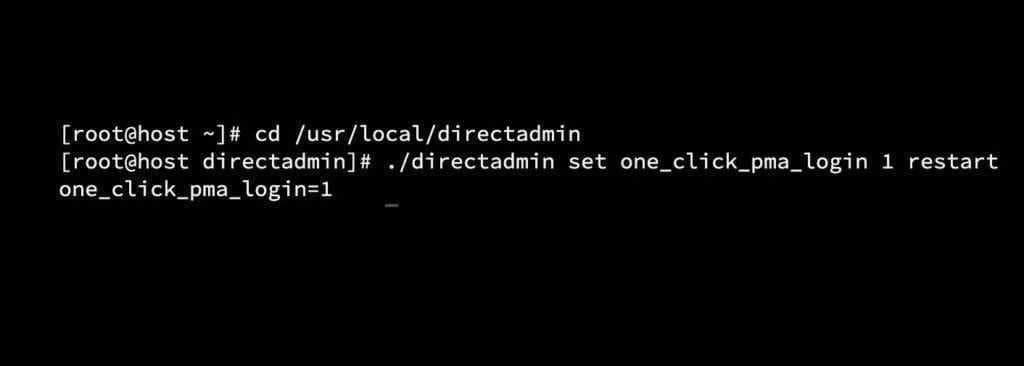
First, you need to instruct the DirectAdmin binary to allow automatic login and restart the service to apply the change.
Access the dashboard directory:
cd /usr/local/directadmin/
2. Enable the configuration variable and restart the service:
./directadmin set one_click_pma_login 1
service directadmin restart
Part 2: Updating phpMyAdmin via CustomBuild
For this functionality to take effect, phpMyAdmin needs to be rebuilt with the new authentication guidelines.
Navigate to the CustomBuild directory:
cd /usr/local/directadmin/custombuild
Update the scripts and rebuild phpMyAdmin:
./build update
./build phpmyadmin
Part 3: Validate Access
- Log in to the DirectAdmin web interface.
- Navigate to Account Manager > MySQL Management.
- Next to the desired database, click the Login icon/link.
- The system should redirect you directly to the phpMyAdmin interface, already authenticated.
Part 4: Strengthening Security (Recommended)
If automatic login is working, it’s a good security practice to completely block the default phpMyAdmin login screen. This prevents brute-force attacks against database passwords, allowing access only to users already logged into the DirectAdmin panel.
Go back to the CustomBuild directory:
cd /usr/local/directadmin/custombuild
Disable public access and apply the change:
./build set phpmyadmin_public no
./build phpmyadmin
What changes: Any attempt to access phpMyAdmin directly via URL (without going through the control panel) or to log in with username and password will result in the message: “Access to phpMyAdmin is only allowed from the control panel.”
Summary: Enabling one-click login modernizes database management in DirectAdmin, saving time and allowing for a more robust security posture by eliminating the need for a publicly exposed login page.